How devices communicate
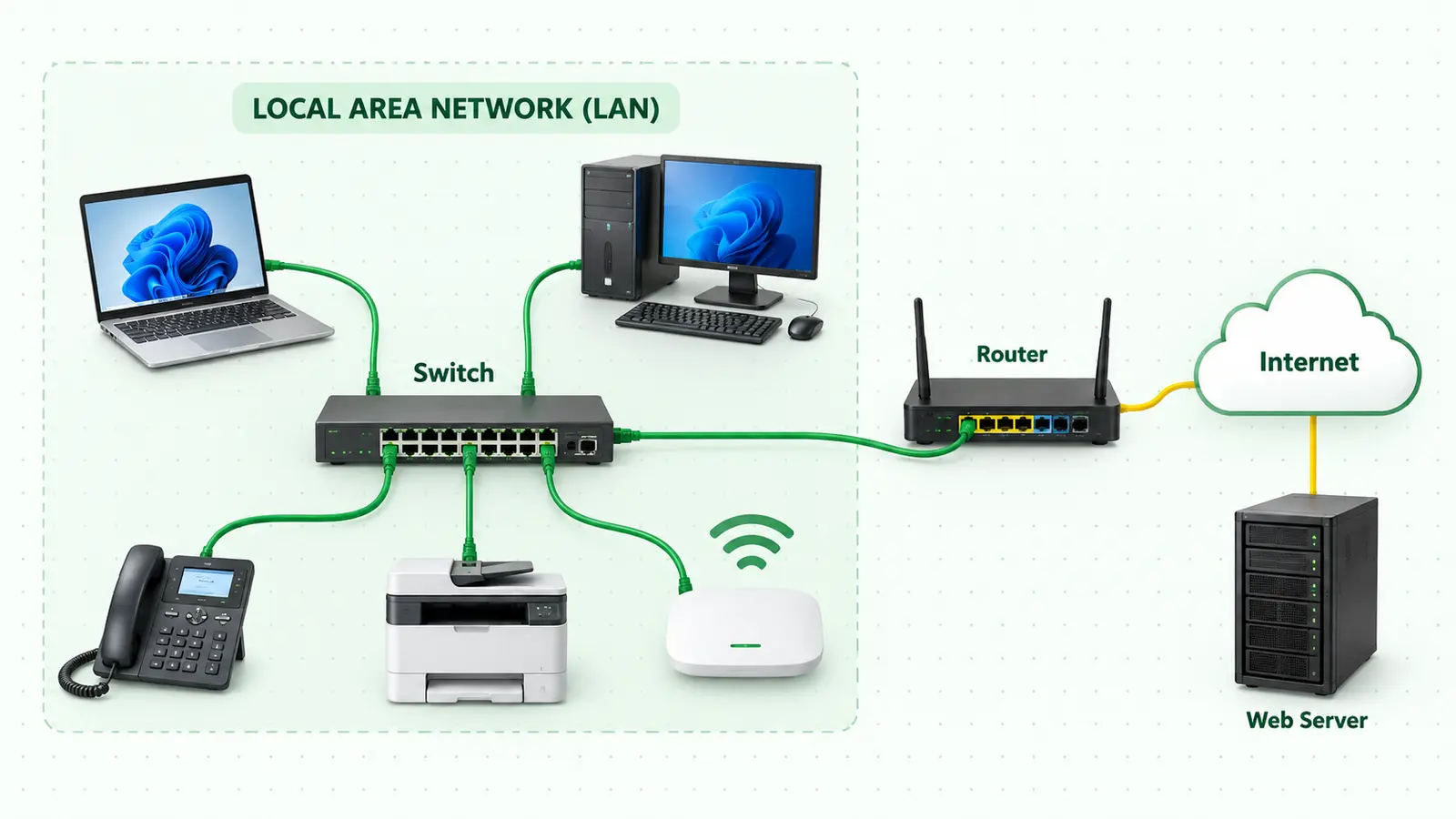
Start with networks, LANs and WANs, switches, routers, and the journey a message takes.
Start hereBeginner-friendly lessons that turn switches, packets, IP addresses, and protocols into ideas you can picture—and skills you can use.

Follow the resolver journey, experiment with caching and record types, and test yourself with an interactive quiz.
Calculate network ranges, move the CIDR boundary, and watch borrowed bits create new IPv4 subnets.
Each lesson starts with a familiar analogy, adds a clean visual, and finishes with the technical idea you need to remember.
Start with networks, LANs and WANs, switches, routers, and the journey a message takes.
Start hereUnderstand IPv4, subnet masks, address classes, NAT, and why networks are divided.
Build confidenceFollow DORA, translate names with DNS, and watch a TCP three-way handshake happen.
Connect the piecesLearn computer networking in Amharic through clear explanations, practical examples, and visual demonstrations.
Visit the channelLatest lesson · 15 minutes
Step-by-step lesson · 18 minutes
Introduction · 31 minutes
No random jumping. Move from the physical network to addressing, then protocols and services.
Behailu's IT Lab is a learning space for people beginning their IT journey. The goal is simple: explain technical ideas in Amharic, use real network examples, and help learners build strong fundamentals.